Guides
All-in-One vs. Separate Tools: The Real Cost of Running Your Shop on 5 Apps
Kyndle One Team · 09 September 2026 · 10 min read
The hidden costs of running your shop on five disconnected apps — reconciliation time, data drift, subscription creep — and a clear framework for choosing an all-in-one system that enters data once.
It rarely happens on purpose. You start with a point-of-sale app because you need to ring up sales. Then a spreadsheet for stock, because the POS doesn’t track it well. Then an accounting package, because your bookkeeper asked for one. A CRM to remember customers. A separate tool for quotes and invoices. A WhatsApp thread for suppliers. Each decision was sensible on its own — but stacked together, you’re now running your shop on five apps that don’t talk to each other, and that fragmentation is quietly costing you far more than the subscriptions.
This article breaks down the real, hidden cost of disconnected tools, gives you a simple framework to compare “best-of-breed” apps against an all-in-one system, and shows why the businesses that win are the ones that enter data once. If you’re actively comparing retail software, this is the trade-off that matters most.
The hidden costs of running on 5 separate apps
The sticker price of software is the part you can see. The expensive part is everything that happens between the tools.
1. Double (and triple) data entry
When your POS, stock sheet and accounts are separate, the same sale gets entered more than once — once at the till, again when you update the spreadsheet, again when it reaches the books. Every re-entry is time you’re paying for and a fresh opportunity for a typo. Multiply one small mistake across hundreds of transactions and your “data” slowly stops matching reality.
2. Reconciliation — the silent weekly tax
Disconnected tools have to be reconciled: does the POS total match the bank, does the spreadsheet match what’s on the shelf, does the accountant’s figure match yours? For most small retailers this is hours every week of pure admin that produces nothing — it just confirms whether your systems still agree. It’s the tax you pay for using tools that don’t share a source of truth.
3. Data drift and the “which number is right?” problem
The moment two systems hold the same information, they begin to drift. Your POS says you have 6 units; the spreadsheet says 9; the shelf has 4. Now you can’t trust any of them, and decisions — reorders, promotions, pricing — get made on guesses. Data drift is corrosive because it undermines the one thing software is supposed to give you: confidence in your numbers.
4. Subscription creep
Five tools mean five bills, five renewal dates and five vendors. Individually each feels affordable; together they add up to a meaningful monthly spend — often more than a single platform that does the lot — with none of the savings that come from integration.
5. Fragile integrations
“We’ll just connect them” sounds simple until a connector breaks after an update, a sync silently fails, or two tools disagree about what a “customer” is. Integrations add a maintenance burden and a new category of problem: bugs that live in the gaps between apps, where no single vendor owns the fix.
6. Decision lag
When your real numbers only come together at month-end — after everything is reconciled — you’re steering by a rear-view mirror. You find out a product died three weeks after it mattered, or that a branch is slipping once the quarter is already lost. In retail, timing is margin.
7. Training, onboarding and key-person risk
Every new hire has to learn five interfaces, and the person who “knows how it all fits together” becomes a single point of failure. When they’re away, the glue holding your stack together goes with them.
8. Security and compliance gaps
Every extra tool is another login, another vendor holding your data, and another place a permission can be set wrong. With five systems, it’s easy for a cashier to end up seeing cost and margin they shouldn’t, or for customer data to sit in an app nobody is really securing. Spreading sensitive business and customer information across vendors widens your risk surface and makes compliance — and answering “where is our data and who can see it?” — genuinely hard.
Put a number on it
You don’t need a spreadsheet (ironically) to feel this, but a rough model makes it concrete. Suppose reconciling and re-entering data across your tools takes just five hours a week. At a modest AED 40/hour, that’s AED 200 a week — over AED 10,000 a year in pure admin, before you count a single mistake, a lost sale from a bad stock number, or a late VAT scramble. Add five subscriptions on top. The “cheap” multi-app setup is usually the expensive one; you just pay for it in hours instead of invoices.
And the admin hours are only the visible part. Now layer on the errors: one wrong stock figure that sends a customer away empty-handed, a best-seller you didn’t reorder in time, a promotion priced against a cost that turned out to be stale, or a VAT number that didn’t reconcile the week it was due. Any single one of these can cost more than a month of subscriptions — and disconnected tools make all of them more likely, because there is no one place where the numbers are forced to agree. When you total the hours, the fees, and the mistakes, “five apps” stops looking economical at all.
The all-in-one alternative: enter data once
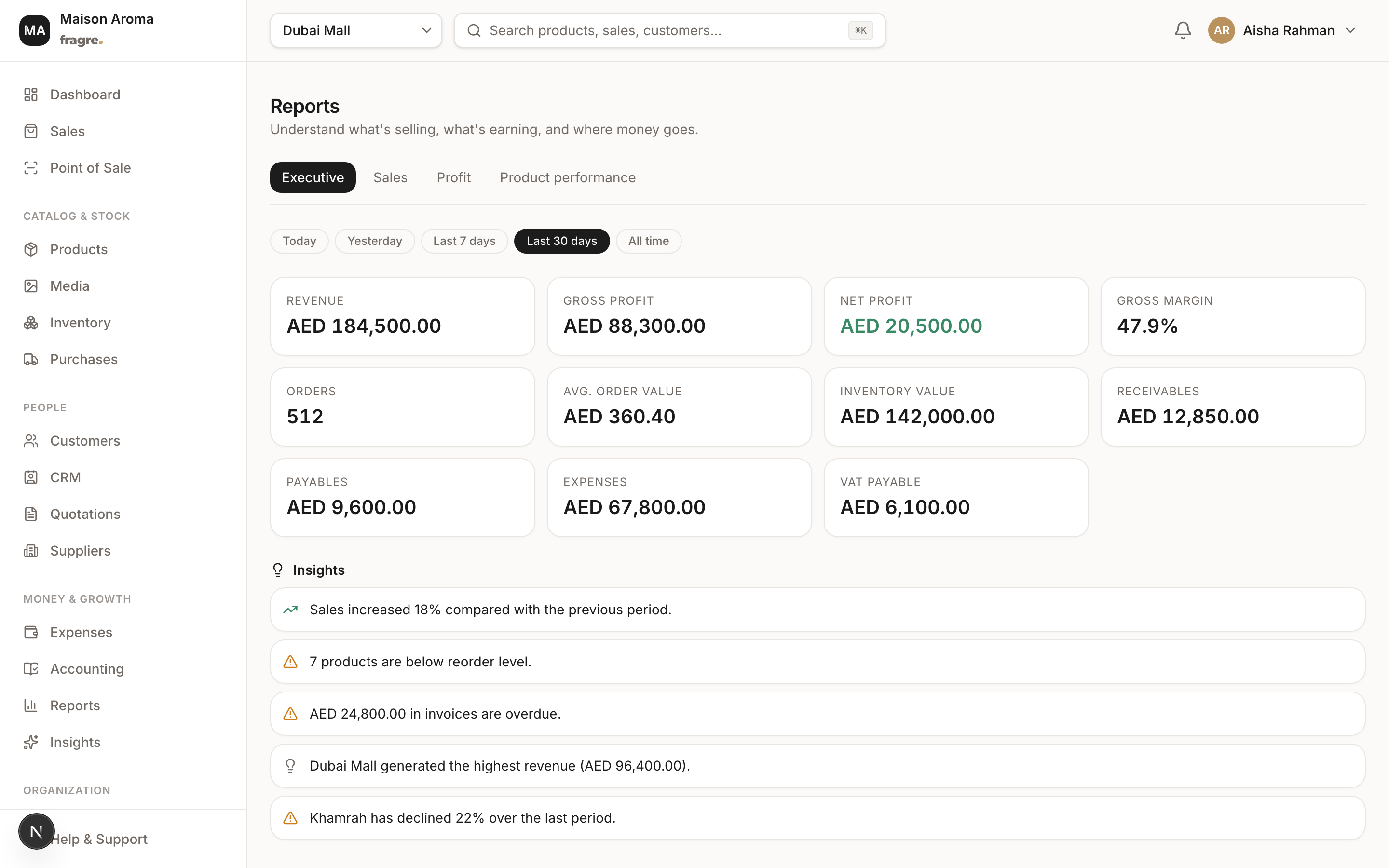
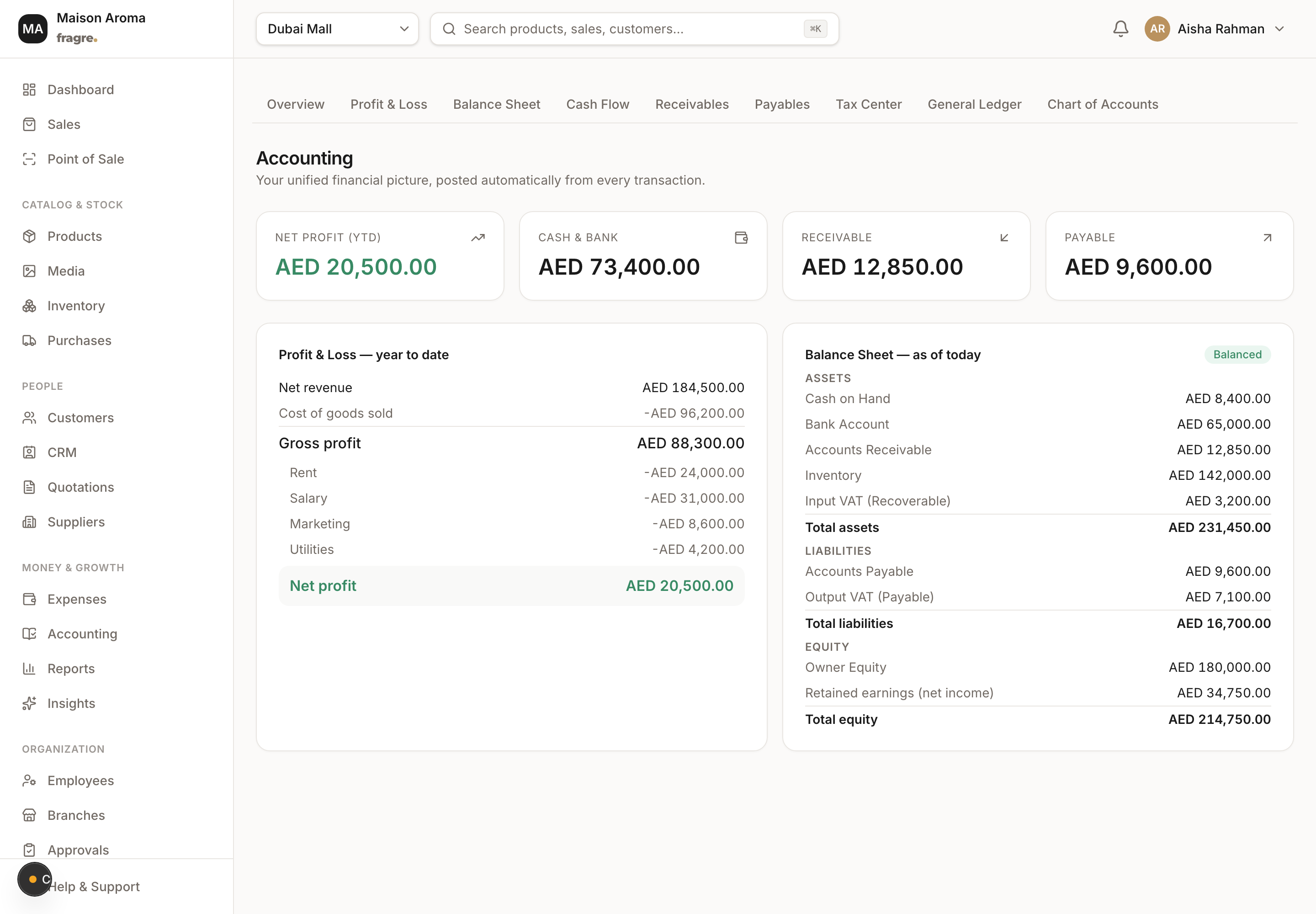
An all-in-one business system replaces the gaps with a single database and a single truth. In our pillar guide, Introducing Kyndle One, we call this the “enter data once” principle, and it’s the whole point. When you complete a sale, that one action updates stock, revenue, the customer’s history and your books at the same instant — no re-entry, no reconciliation, no drift. The clerical work simply disappears.
The benefit isn’t just tidiness; it’s trust. Because there’s one source of truth, the profit, stock and cash figures you see are correct right now. You stop asking “which number is right?” and start acting on the answer.
A simple comparison framework
When you’re weighing five separate tools against one platform, score them on the dimensions that actually drive cost and clarity:
| What matters | 5 separate apps | All-in-one (e.g. Kyndle One) |
|---|---|---|
| Data entry | Repeated in each tool | Entered once, shared everywhere |
| Reconciliation | Hours every week | None — one source of truth |
| Accuracy | Drifts between systems | Live and consistent |
| Accounting & VAT | Manual, weeks behind | Auto double-entry, always current |
| Reporting | Stitched together by hand | One dashboard, real time |
| Total cost | Many subscriptions + admin hours | One plan, far less admin |
| Scaling | More tools, more chaos | Add branches & staff cleanly |
| Security | Data spread across vendors | Isolated, role-based access |
Beyond cost: what one source of truth unlocks
Saving admin hours is the obvious win, but the deeper advantage of an all-in-one system is what becomes possible once your data lives in one place. When sales, stock, purchasing, customers and accounts all speak the same language, you can ask questions that are impossible to answer across five disconnected tools: which products are both high-margin and selling fast; which customers are slipping away and worth winning back; how a price change rippled through to net profit after cost of goods and VAT. Those are strategy questions, and they only have clean answers when everything is connected.
It also changes how it feels to run the business day to day. Instead of a morning spent assembling numbers from different apps, you glance at one dashboard and know where you stand. Instead of dreading month-end, you find your books already balanced. The mental load of “keeping the systems in agreement” — which every multi-tool operator carries whether they name it or not — simply lifts. That headspace is the quiet, compounding return that never shows up on an invoice but shows up in every decision you make.
What “good” all-in-one actually looks like
Not every all-in-one is created equal — some are a jack-of-all-trades that does everything badly. Use this checklist to tell a real platform from a bundle of weak features:
- One shared database, not modules bolted together. A sale should update stock and the ledger in the same action, not via an overnight sync.
- Proper accounting underneath. Look for real double-entry books and VAT handling, not just a “reports” tab.
- Variant-level inventory on a ledger. Sizes and options each need their own stock, and every movement should be traceable.
- Fast, reliable POS. The daily driver has to be quick at a busy counter.
- Multi-branch and roles. So the system grows with you without losing control.
- Clear reporting and, ideally, answers on demand. A dashboard you actually read, and the ability to just ask a question of your own data.
Kyndle One was built to pass that checklist: point of sale, inventory, purchasing, quotations, invoicing, double-entry accounting, UAE VAT, customers and AI insights, all sharing one live source of truth.
When separate tools do make sense
To be fair, best-of-breed isn’t always wrong. If one function is your entire business and demands very deep, specialised capability — a huge warehouse running complex logistics, say, or a bespoke manufacturing line — a dedicated tool for that function can be worth the integration cost. The all-in-one case is strongest for the vast majority of retailers and product businesses who need every function to be solid and connected, rather than one function to be world-class and the rest neglected. If you’re a shop, a boutique group, or a brand selling B2C and B2B, connected-and-complete beats brilliant-but-isolated.
5 signs you’ve outgrown your app stack
Not sure whether this is you? These are the tell-tale signs that a collection of tools has quietly become a liability:
- You keep a “master” spreadsheet to reconcile what your other tools say — that spreadsheet is the symptom.
- You can’t answer “what’s my profit this month?” instantly without exporting from two or three places first.
- Your stock number is a guess. The POS, the sheet and the shelf routinely disagree.
- Month-end is a scramble. VAT and accounts get sorted in a panic instead of being ready.
- Only one person understands how it all connects — and everything slows down when they’re off.
If two or more of these feel familiar, the cost of staying is already higher than the cost of switching.
Making the switch: a simple 5-step plan
Moving to one system is the fear that keeps people on a stack they’ve outgrown — and it’s usually overblown. Here’s how a straightforward migration looks:
- Export your catalogue. Pull your products, variants, prices and current stock out of your existing tools into a spreadsheet.
- Import it in one go. A good platform ingests that spreadsheet — products with their sizes, prices and opening stock — in minutes.
- Enter opening balances. Set your starting figures (cash, receivables, payables) so your books continue seamlessly from day one.
- Add your team and branches. Invite staff, give each a role, and set up any additional locations.
- Start selling. From your first sale, stock, profit and insights update automatically — and the busywork simply stops.
You’re not rebuilding your business; you’re pointing it at a single source of truth and letting the reconciliation disappear. The right vendor will help you bring your data across, so you’re usually running in an afternoon, not a quarter.
The bottom line
Running your shop on five apps feels normal because it happened one reasonable step at a time. But the real bill isn’t the subscriptions — it’s the hours lost to reconciliation, the decisions made on numbers that don’t agree, and the sales and compliance slips that fall through the gaps. An all-in-one system that enters data once replaces all of that with a single source of truth, so your team spends its energy serving customers and growing, not keeping tools in sync.
Comparing options right now? Request a demo and we’ll show you Kyndle One on your own numbers, or get in touch with any question. And if you’re new here, start with Introducing Kyndle One for the full feature walkthrough.
Related guides
Frequently asked questions
What is all-in-one retail software?+
Software that combines point of sale, inventory, invoicing, accounting and customers in a single platform sharing one database, so information entered once updates everywhere automatically.
Is all-in-one software better than separate best-of-breed tools?+
For most retailers, yes. Connected-and-complete beats brilliant-but-isolated because it removes double data entry, weekly reconciliation and data drift. Best-of-breed only wins when one function demands very specialised depth.
How much do multiple business apps really cost?+
Beyond several subscriptions, the bigger cost is admin time. Even five hours a week reconciling and re-entering data is over AED 10,000 a year, before you count errors, lost sales or a late VAT scramble.
Will I lose data moving from separate apps to one system?+
No. A good platform imports your catalogue from a spreadsheet (products, variants, prices, opening stock) and lets you enter opening balances, so you are running in an afternoon, and the vendor can help you migrate.
Does Kyndle One include accounting and VAT?+
Yes. Every sale, payment, purchase and expense posts a balanced double-entry journal automatically, and VAT is organised ready to file. Kyndle One is not FTA-certified and does not submit returns for you.
Run your business smarter with Kyndle
Point of sale, inventory, accounting and AI insights in one calm place.
Request a demo