Guides
How to Choose a POS System for a Retail Business
Kyndle One Team · 13 September 2026 · 10 min read
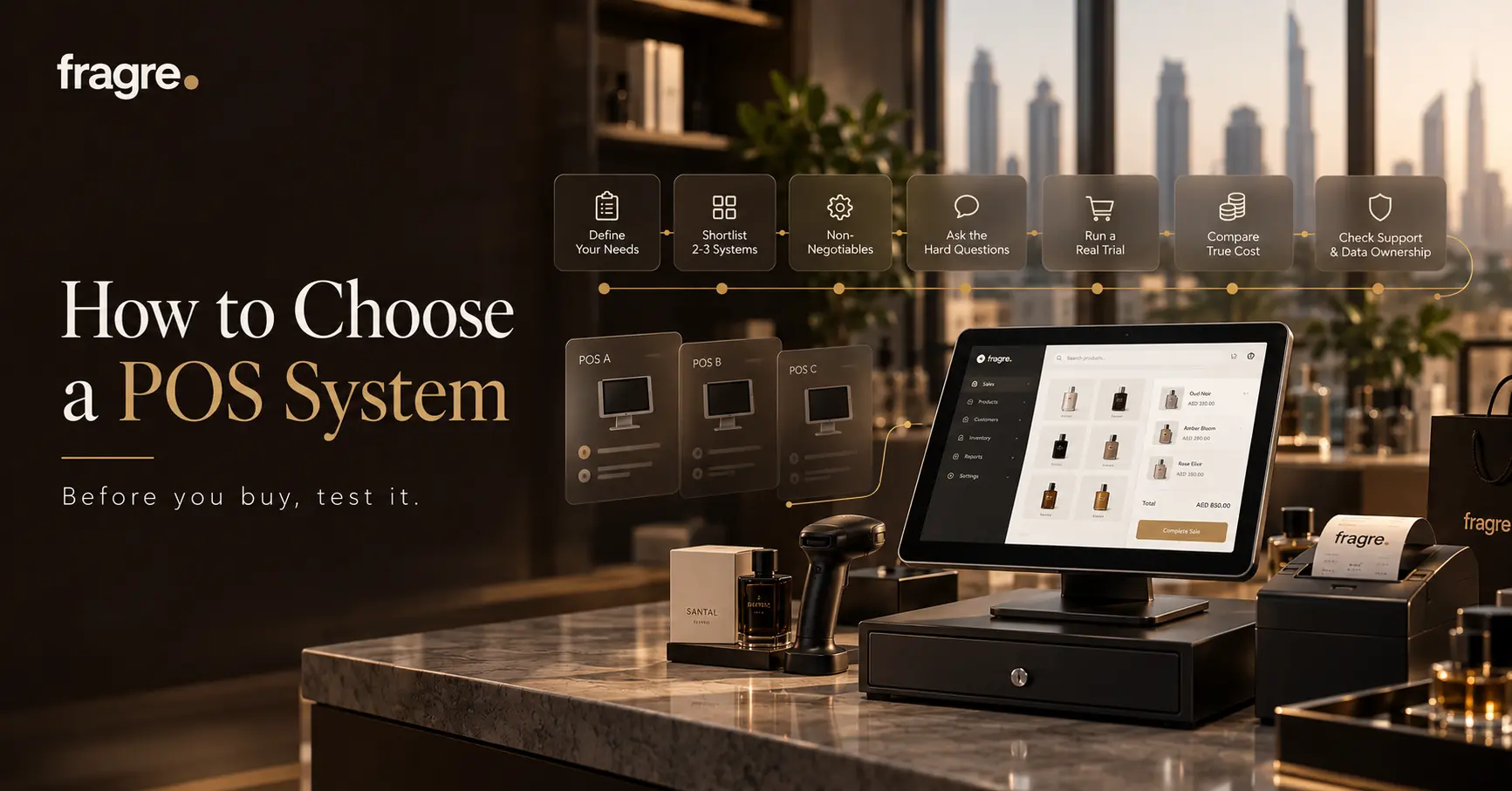
Most retailers choose a POS almost by accident, then work around it for years. Here's a simple step-by-step process to choose one you'll still be happy with — define your needs, shortlist, trial properly, compare true cost, and decide.
Your point-of-sale system is the tool your shop touches most — every sale, every day, for years. Yet most retailers choose one almost by accident: whatever the hardware supplier bundled, whatever a friend uses, whatever came up first in a search. Then they spend the next few years working around its limits. Choosing well isn't complicated, but it does take a little process. This guide gives you that process — a clear, step-by-step way to choose a POS system for a retail business you'll still be happy with in three years.
This is the how, not just the what. If you want a deep comparison of the criteria and types of systems, our guide to the best POS system for a small business in the UAE covers that in detail. Here, we focus on running the selection itself — so you end up with the right fit, not just the loudest sales pitch.
Before we dig into each stage, here's the whole path at a glance — five steps that take most retailers two to four weeks:
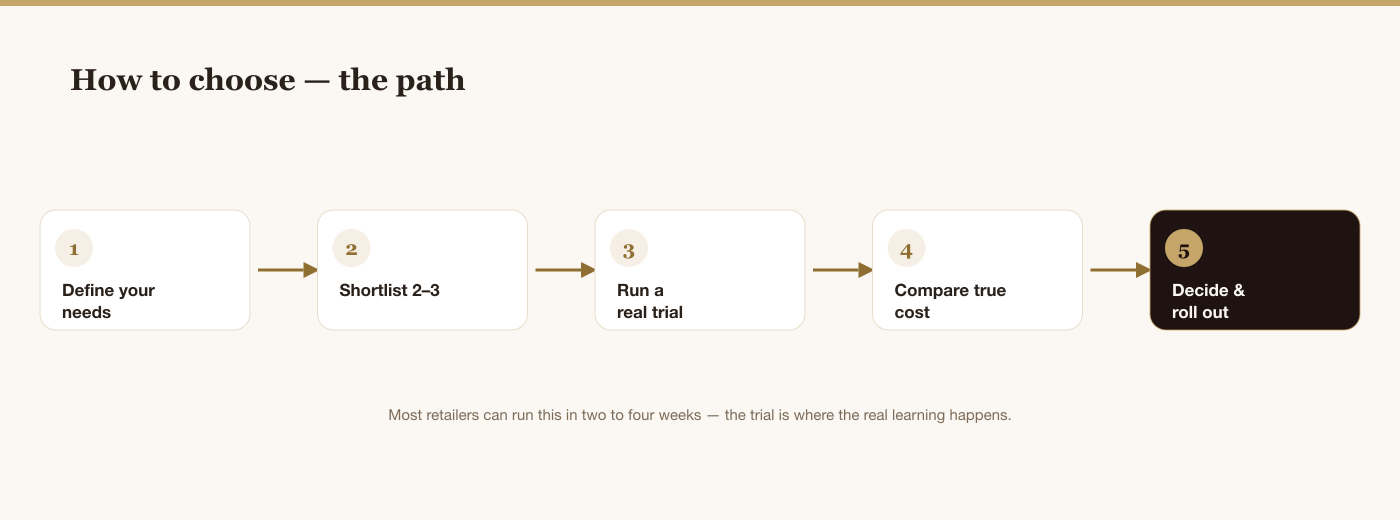
It looks simple because it is — the discipline is in doing each step honestly rather than jumping straight to the demo. Almost every costly POS mistake comes from choosing before Step 1 is really done, or buying before Step 6. Give the process a fair run and the right answer tends to reveal itself, rather than being talked into you. The rest of this guide walks through each step in turn.
Step 1: Define what you need before you look at anything
The single biggest mistake is shopping before you know what you're shopping for. Vendors will happily sell you features you don't need and skip the ones you do. So start by writing down your own situation — honestly:
- What kind of shop are you? A single till, a busy multi-lane store, a boutique, a service counter?
- How many branches now — and might you open more?
- How much stock do you carry, and does it need batch or expiry tracking?
- Are you VAT-registered, and do you invoice other businesses?
- How tech-comfortable is your team, and how fast must new staff learn it?
- What's your realistic budget — including the ongoing costs, not just the sticker price?
For example, a single-branch boutique that isn't VAT-registered and sells low volumes has a very different brief from a three-store retailer issuing B2B invoices and carrying dated stock — and the right POS for each looks nothing alike. Writing your brief down forces that clarity before a salesperson does it for you.
These answers are your brief. Everything that follows is measured against them. "Best" is simply the system that fits your answers most closely — not the one with the longest feature list.
Step 2: Know the three kinds of system (briefly)
Retailers broadly choose between a legacy on-premise till, a global cloud POS, or a locally-built all-in-one platform. Each suits a different situation, and the trade-offs — offline behaviour, localisation, how they scale — matter. Rather than repeat the full comparison here, it's laid out in our POS buyer's guide. For now, just know the categories exist, so you can place each shortlisted product and compare like with like.
Step 3: Pin down your non-negotiables
Before you shortlist, decide which requirements are absolute. For a UAE retailer, a few usually make the list:
- Genuine UAE VAT — the correct 5% handling and proper tax invoices, administered by the Federal Tax Authority, not a manual afterthought.
- E-invoicing readiness — a credible plan for the UAE's mandatory e-invoicing arriving from 2027, if you sell B2B or B2G.
- Inventory that's built in — stock that updates live from every sale, not a separate app you sync.
- Works offline — keeps selling if the internet drops.
- Arabic and English, AED — fitted to how business is done here.
Anything that fails a non-negotiable is out, no matter how good the demo looks. This is what keeps the shortlist honest.
Step 4: Build a shortlist of two or three
You don't need to evaluate ten systems. Use your brief and non-negotiables to cut the field to two or three that clearly qualify, then go deep on those. A focused shortlist you actually trial beats a long list you skim. If a product can't clear your non-negotiables on its own website, it doesn't make the list.
Step 5: Ask every vendor the same hard questions
Demos are designed to impress. Your job is to ask the questions the demo won't answer on its own. Put the same list to each shortlisted vendor, and compare the answers:
- What's the true all-in monthly cost for my number of branches, tills and users?
- Are there per-transaction fees on top of the subscription?
- What exactly happens when the internet goes down mid-sale?
- How do I get my data out if I ever leave — products, sales, customers?
- What's your UAE e-invoicing plan, and when?
- What support do I get — hours, language, response times — and at what cost?
- How long is the contract, and what happens if I want to stop?
The way a vendor answers is itself information. Straight, specific answers are a good sign; vague or evasive ones are a warning.
Step 6: Run a real trial — not just a demo
A demo shows you the system at its best; a trial shows you your business on it. Insist on a proper trial and put a normal day through each shortlisted system:
- Ring up a handful of typical sales, including a split payment.
- Process a return or refund.
- Do a stock update and check the count is right.
- Pull a VAT report and a margin report at the end.
- Hand it to the person who'll actually stand at the counter and watch how quickly they get it.
That last step matters most. A system your team finds natural will be used properly; one they fight will quietly leak errors. If a trial day feels effortless and the reports come out clean, you've learned more than any brochure could tell you.
Retail features worth testing in the trial
While you're trialling, put the everyday retail moments through their paces — these are where a POS either helps or quietly hinders:
- Fast barcode scanning, plus quick product search for items without a barcode.
- Discounts and promotions — line and cart discounts, and any offers you actually run.
- Returns and exchanges — clean and traceable, and reflected in stock and the books.
- Multiple and split payments — cash, card and part-payments on one sale.
- Receipts and tax invoices — printed or sent, and compliant.
- Cash management — opening float, cash movements and a day-end close.
- Customer lookup — pulling up a customer's history right at the till.
- Staff logins and permissions — each cashier accountable, sensitive actions controlled.
You won't need every one, but testing the handful you rely on daily tells you far more than any feature list.
Step 7: Work out the true total cost
The headline price is rarely the real price. Add up the all-in monthly cost for your actual setup — software, every feature you need, your real number of users and tills, and any per-transaction fees — then compare that single figure across your shortlist. Watch for essentials (inventory, extra users, reports) locked behind higher tiers, and for "cheap" plans that take a cut of every sale, quietly getting expensive as you grow. And weigh the price against time saved: a system that removes hours of admin a week usually pays for itself many times over. This is the same connected-vs-scattered maths behind the real cost of running on separate tools.
Step 8: Check data ownership, support and the contract
Before you sign, protect your future self. Confirm your data is yours and easily exportable, so switching later is never held hostage. Check the support you'll actually get — in your language, at the hours your shop trades. And read the contract: length, notice period, and what happens to your data if you leave. A confident vendor makes leaving easy; be wary of one that makes it hard by design.
Step 9: Decide, then roll out carefully
With trials done and costs compared, the choice is usually clear — pick the system that fit your brief, felt effortless to your team, and priced honestly. Then roll out with care: set up your catalogue and tax settings, do an accurate opening stock count, run one till or one store first, confirm sales, stock and reports behave, then extend to the rest. A calm, staged rollout beats a big-bang switch every time.
Common mistakes when choosing a POS
- Buying on the demo alone. A polished demo isn't a trial with your own products and staff.
- Choosing on sticker price. Per-transaction fees and locked features change the real cost.
- Ignoring the team. If your cashiers can't use it easily, nothing else matters.
- Skipping data ownership. If leaving is painful by design, you're trapped from day one.
- Treating inventory or accounting as afterthoughts. A sale is also a stock movement and a ledger entry — the best systems handle all three at once.
- Not asking about e-invoicing. The 2027 rules are coming; a blank look is a red flag.
Put Kyndle One through your trial
An all-in-one built for UAE retail — POS, inventory, accounting and VAT in one system. Try it with your own products and staff.
Request a demo →How long should choosing take?
For most small and mid-size retailers, a sensible selection takes two to four weeks, not months. Roughly: a week to write your brief and build a shortlist, a week or two to trial two or three systems properly and get vendor answers, and a few days to compare true costs and decide. Rushing it risks buyer's remorse you'll live with for years; dragging it out rarely surfaces new information. The trial is where the real learning happens — give that the time, and keep the rest tight.
Where Kyndle One fits
If your brief points to an all-in-one built for UAE retail, Kyndle One is designed for exactly this. Point of sale, inventory, customers and accounting with VAT live in one platform, so a sale updates your stock and your books at once. It handles 5% VAT and tax invoices natively, works in English and Arabic, keeps selling offline, scales across branches, and is preparing for UAE e-invoicing ahead of 2027 — and it's built to be run by the shop owner, not a specialist. Put it through the same trial and questions above; that's the fairest way to judge any system, ours included.
Signs you've chosen well
You'll know the choice is right when a few things are true at once: your counter staff picked it up without a manual, a normal day's sales, returns and reports came out clean in the trial, the all-in price held no surprises, your data is clearly yours to export, and the vendor answered every hard question straight. If most of those held, trust the decision — you've done the work that separates a good choice from a lucky one.
The bottom line
Choosing a POS system for a retail business comes down to a simple discipline: define your needs first, shortlist only what clears your non-negotiables, ask every vendor the same hard questions, and — above all — run a real trial with your own products and staff before you commit. Do that, and you won't just pick a till; you'll pick the system that quietly runs your shop for years, and removes the most work from your week. That's the one worth choosing.
Related guides
Frequently asked questions
How do I choose a POS system for my retail shop?+
Follow a simple process: define your needs first (shop type, branches, stock, VAT, team, budget), shortlist two or three systems that clear your non-negotiables, ask every vendor the same hard questions, run a real trial with your own products and staff, compare the true all-in cost, then decide and roll out to one till first. The trial is where the real learning happens.
What should I look for in a retail POS system?+
For a UAE retailer: genuine 5% VAT and tax invoices, e-invoicing readiness for 2027, inventory built in and updated by every sale, offline capability, Arabic and English, and honest, predictable pricing. Beyond that, test the everyday retail moments — barcode scanning, discounts, returns, split payments, cash management and staff permissions.
How long does it take to choose a POS system?+
For most small and mid-size retailers, two to four weeks is sensible: about a week to write your brief and shortlist, a week or two to trial two or three systems and get vendor answers, and a few days to compare true costs and decide. Give the trial the time; keep the rest tight.
What questions should I ask a POS vendor?+
Ask the same list of each: the true all-in monthly cost for your setup, whether there are per-transaction fees, exactly what happens when the internet drops mid-sale, how you get your data out if you leave, their UAE e-invoicing plan, what support you get and when, and the contract length and exit terms. How straight they answer is itself information.
Should I trial a POS system before buying?+
Absolutely. A demo shows the system at its best; a trial shows your business on it. Put a normal day through each shortlist system — real sales, a return, a stock update, and pull a VAT and margin report — and, crucially, hand it to the person who'll stand at the counter. If a trial day feels effortless and the reports come out clean, you've learned more than any brochure.
Run your business smarter with Kyndle
Point of sale, inventory, accounting and AI insights in one calm place.
Request a demo